Project Overview
The florist is looking to expand its business by reaching a wider audience through an easy-to-use mobile app. The app should allow users to browse a variety of flowers, place orders for same-day or scheduled deliveries, and track their orders in real-time.
Goals:
Create an engaging flower catalog.
Streamline the user flow for ordering and delivery.
Provide customization options (bouquets, gifts, etc.).
Offer user-friendly navigation and seamless checkout.
Highlight local flowers and tie into Mumbai’s cultural aesthetic.
My Approach
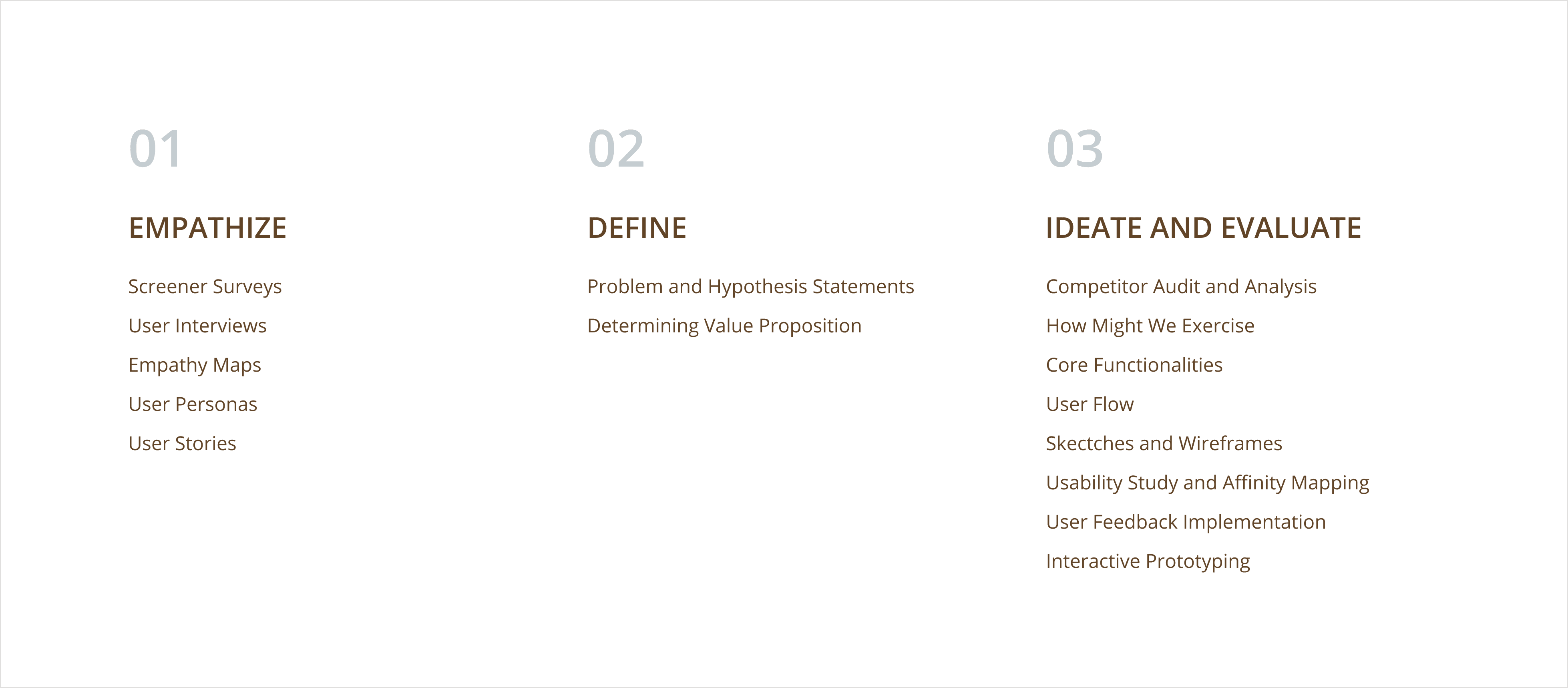
Here is a quick glimpse of how I approached the chosen problem statement with the help of design thinking process.
User Research🔍
Interviews & Surveys: We conducted interviews and surveys with potential customers to understand their preferences, pain points, and needs for flower purchases. Participants ranged from individuals purchasing flowers for events like weddings and festivals to corporate users ordering flowers for office spaces.
Key Insights:
Most customers value same-day delivery.
Users want to see clear images of flowers, bouquet options, and related products (e.g., vases, gift cards).
Customization is important. Customers want to be able to build their own bouquets.
The app should provide reliable tracking, especially for events and time-sensitive deliveries.
Many prefer to pay through popular payment gateways like UPI and cash-on-delivery options
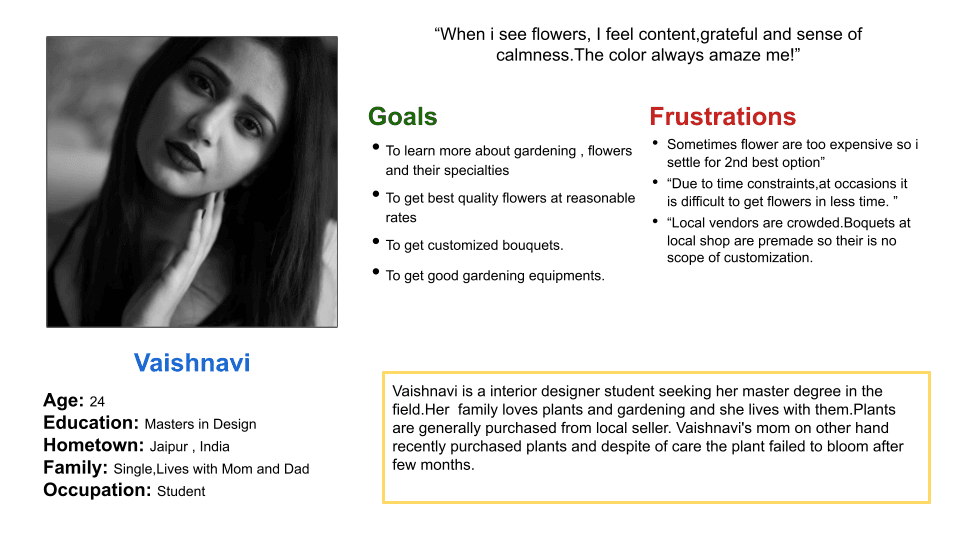
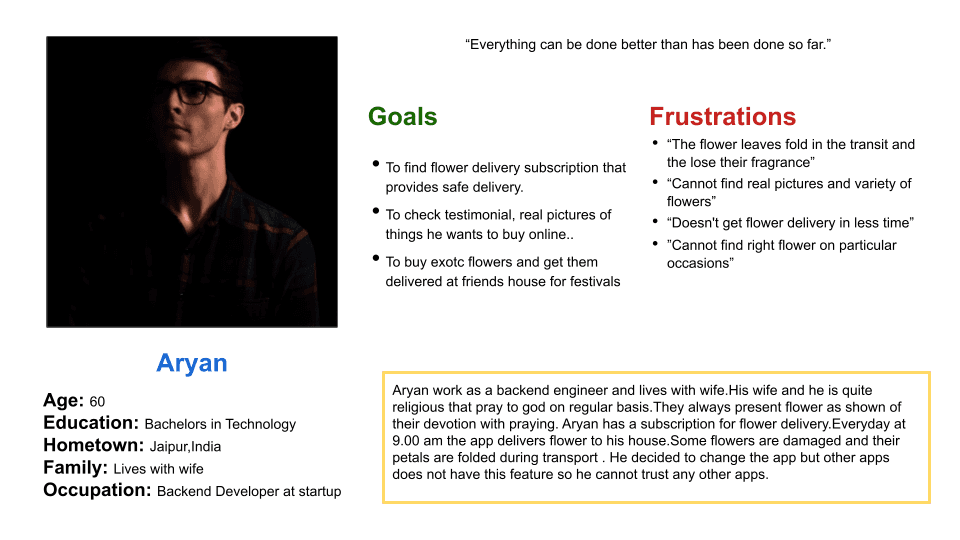
User Personas🔍
Problem Statement
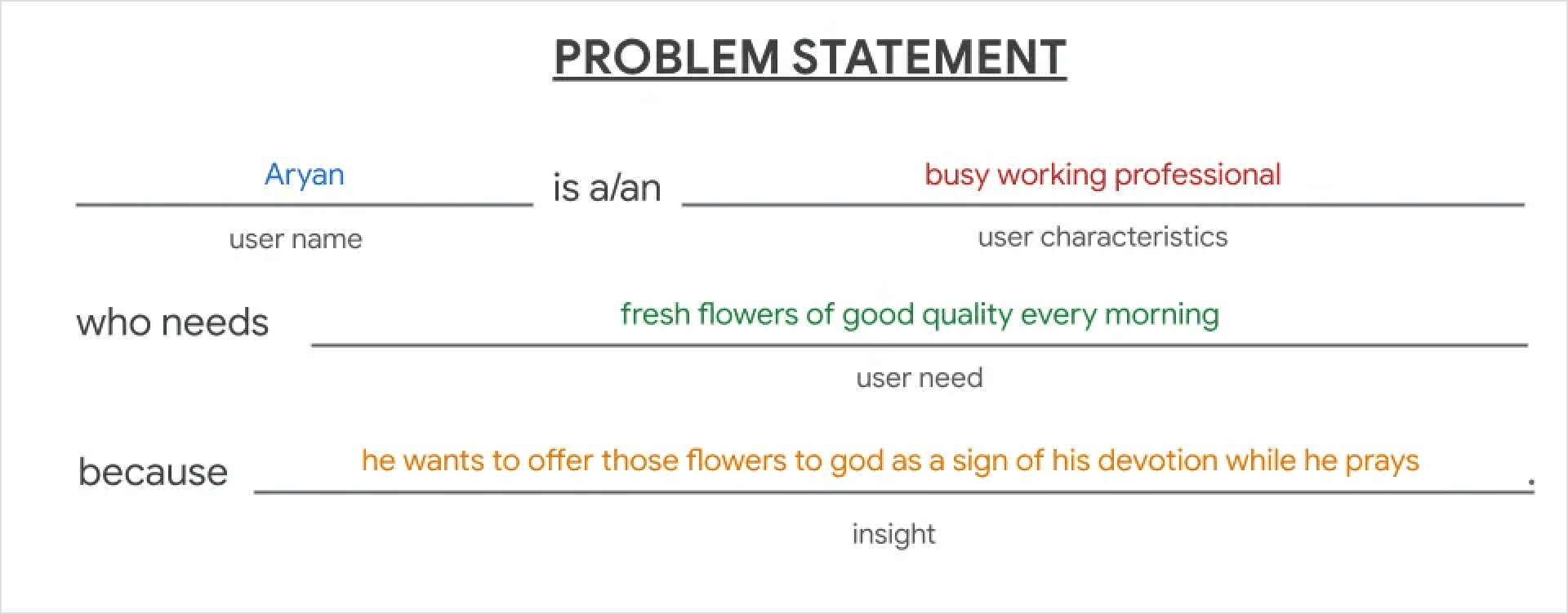
Defining a problem statement allowed me to better understand the needs of users and the restrictions they encounter whether purchasing flowers from a local vendor or an online flower delivery service.
Determining Value Proposition
I followed two steps to come up with the value proposition.
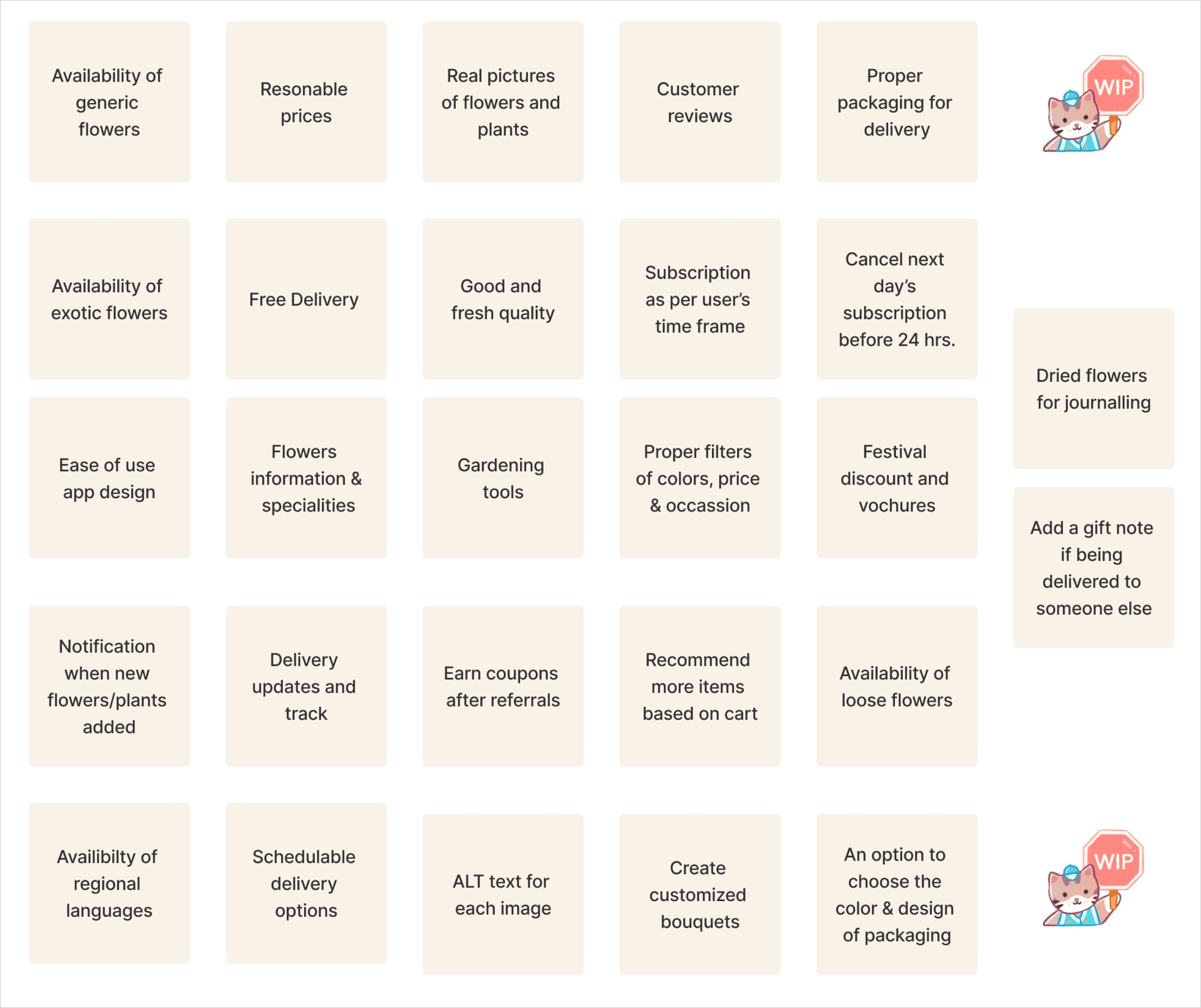
List the product’s features and benefits: In this step, I simply listed all the features my product can have. I listed every feature that came to mind without holding anything back.
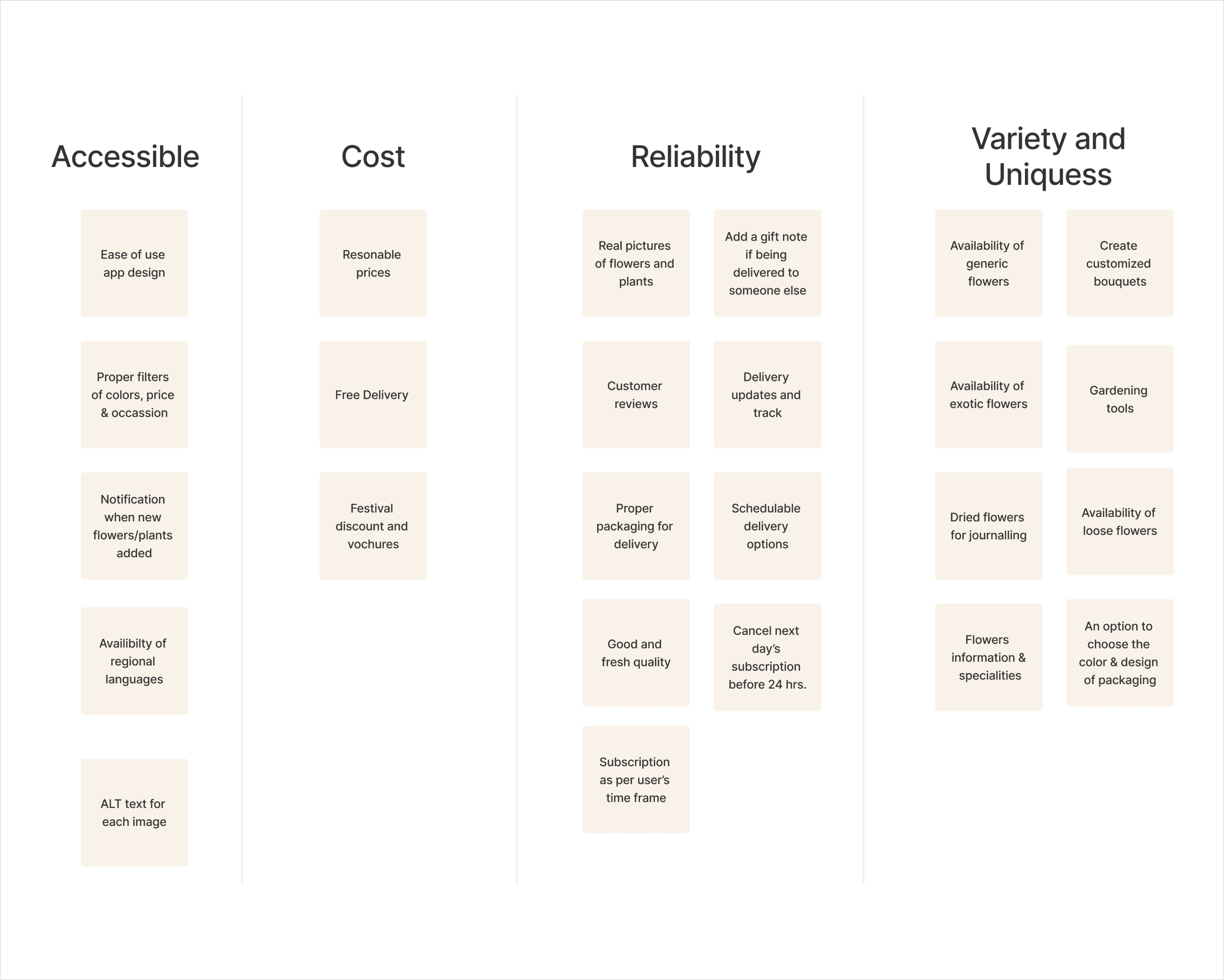
Explained the value of the product: In this step, I sorted out the features into four categories as Accessibility, Cost, Reliability, and Variety & Uniqueness.
Competitor Audit and Analysis
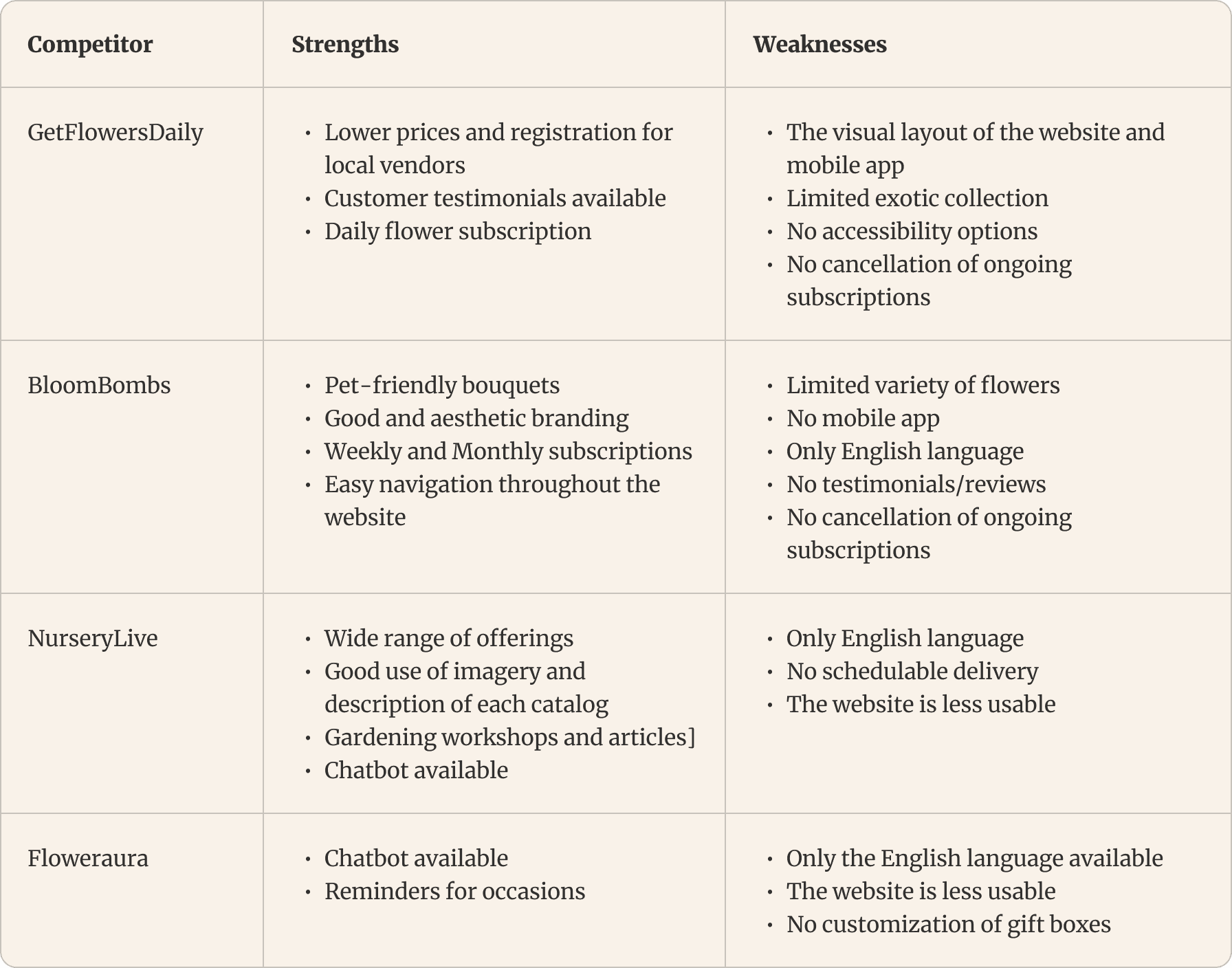
I evaluated one direct competitor and three indirect competitors for the competitive audit. The majority of the applications I found sent bouquets and other gifts, but none of them offered both generic and exotic flowers.
Project Overview
The florist is looking to expand its business by reaching a wider audience through an easy-to-use mobile app. The app should allow users to browse a variety of flowers, place orders for same-day or scheduled deliveries, and track their orders in real-time.
Goals:
Create an engaging flower catalog.
Streamline the user flow for ordering and delivery.
Provide customization options (bouquets, gifts, etc.).
Offer user-friendly navigation and seamless checkout.
Highlight local flowers and tie into Mumbai’s cultural aesthetic.
My Approach
Here is a quick glimpse of how I approached the chosen problem statement with the help of design thinking process.
User Research🔍
Interviews & Surveys: We conducted interviews and surveys with potential customers to understand their preferences, pain points, and needs for flower purchases. Participants ranged from individuals purchasing flowers for events like weddings and festivals to corporate users ordering flowers for office spaces.
Key Insights:
Most customers value same-day delivery.
Users want to see clear images of flowers, bouquet options, and related products (e.g., vases, gift cards).
Customization is important. Customers want to be able to build their own bouquets.
The app should provide reliable tracking, especially for events and time-sensitive deliveries.
Many prefer to pay through popular payment gateways like UPI and cash-on-delivery options
User Personas🔍
Problem Statement
Defining a problem statement allowed me to better understand the needs of users and the restrictions they encounter whether purchasing flowers from a local vendor or an online flower delivery service.
Determining Value Proposition
I followed two steps to come up with the value proposition.
List the product’s features and benefits: In this step, I simply listed all the features my product can have. I listed every feature that came to mind without holding anything back.
Explained the value of the product: In this step, I sorted out the features into four categories as Accessibility, Cost, Reliability, and Variety & Uniqueness.
Competitor Audit and Analysis
I evaluated one direct competitor and three indirect competitors for the competitive audit. The majority of the applications I found sent bouquets and other gifts, but none of them offered both generic and exotic flowers.
Core Functionalities
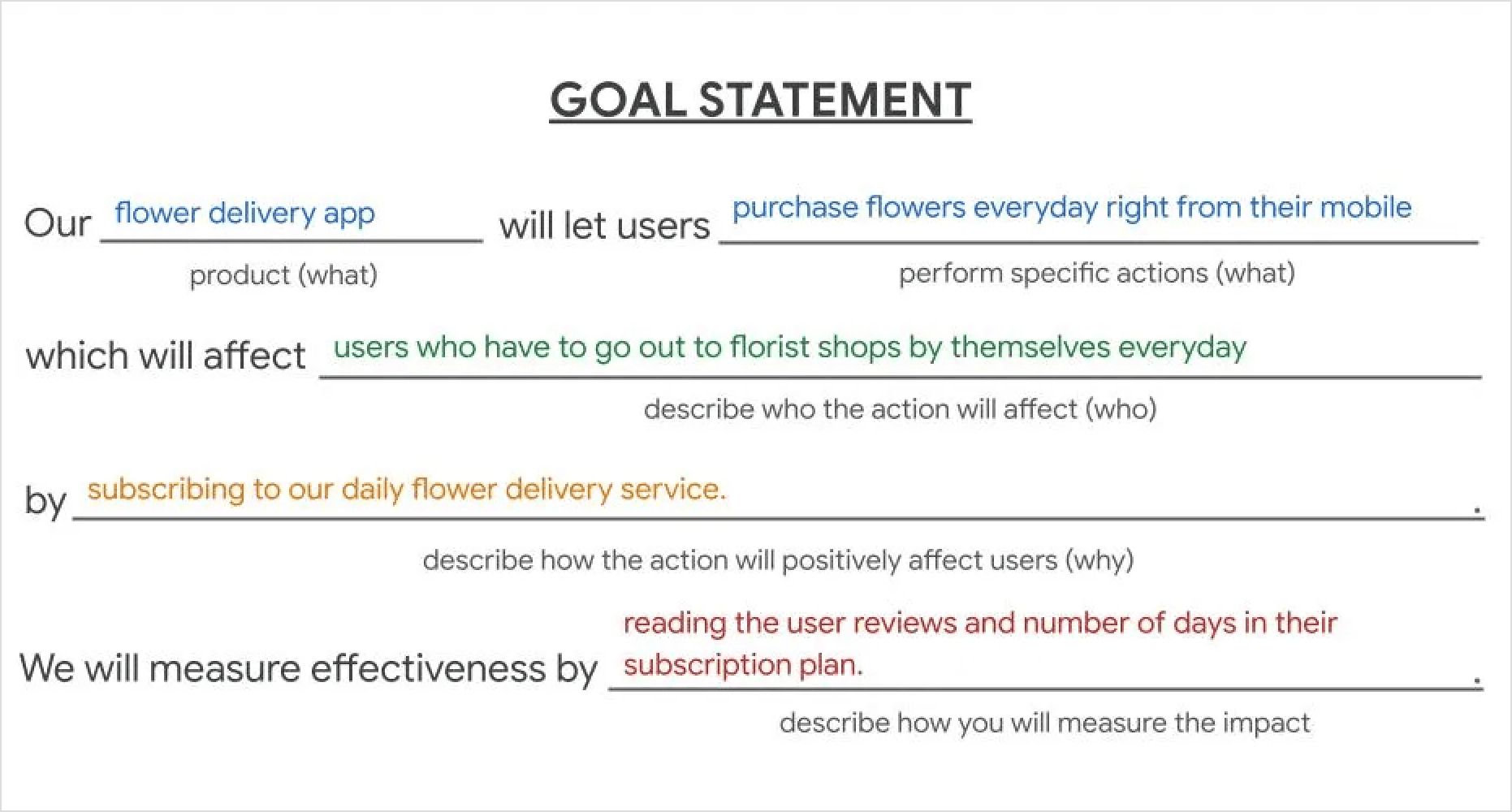
To derive core functionalities of my solution, I built goal statement for my personas. The goal statements helped me describe my product and its benefits for my targeted user group.
User Flow
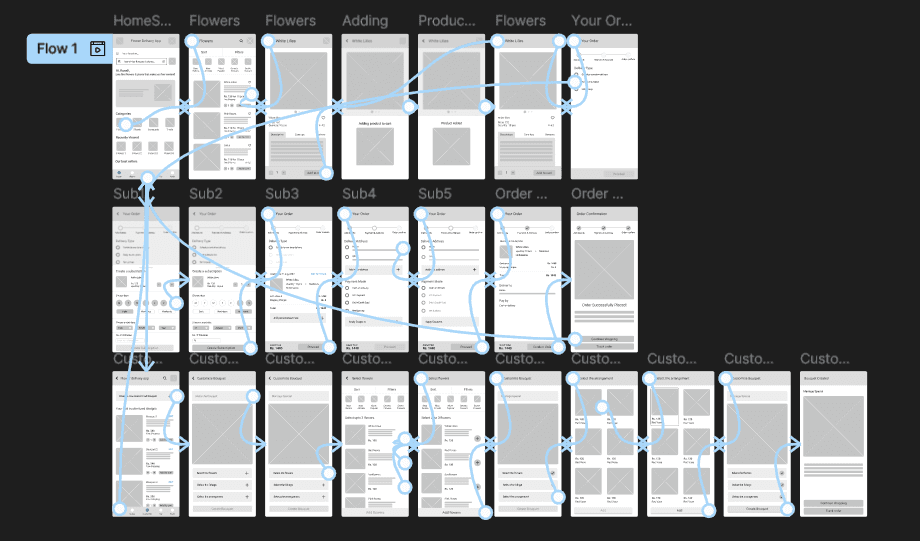
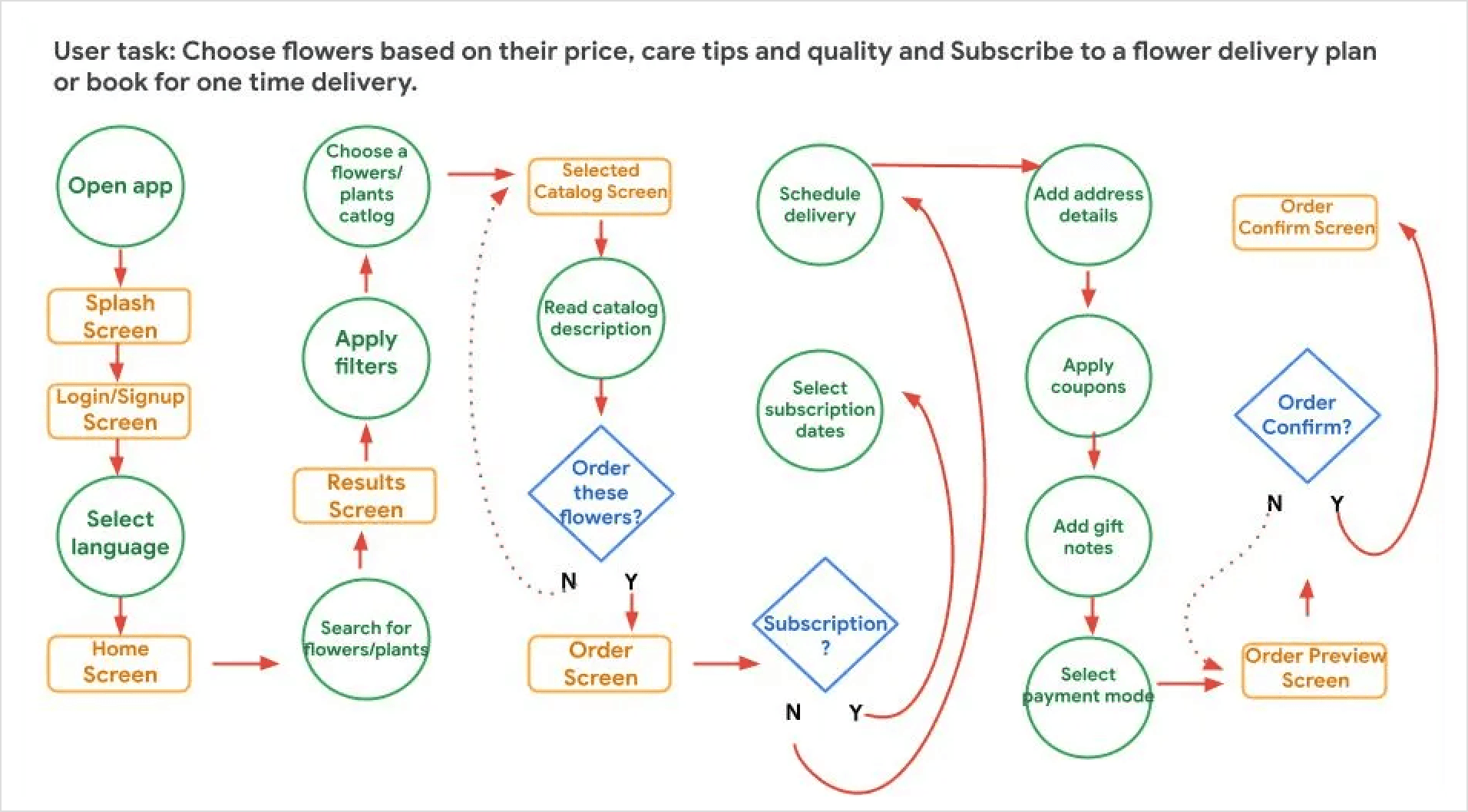
I outlined the typical path user will take while ordering flowers online. I referenced the problem statements I created to make sure that my design really addresses the user’s needs.
Sketches & Wireframes
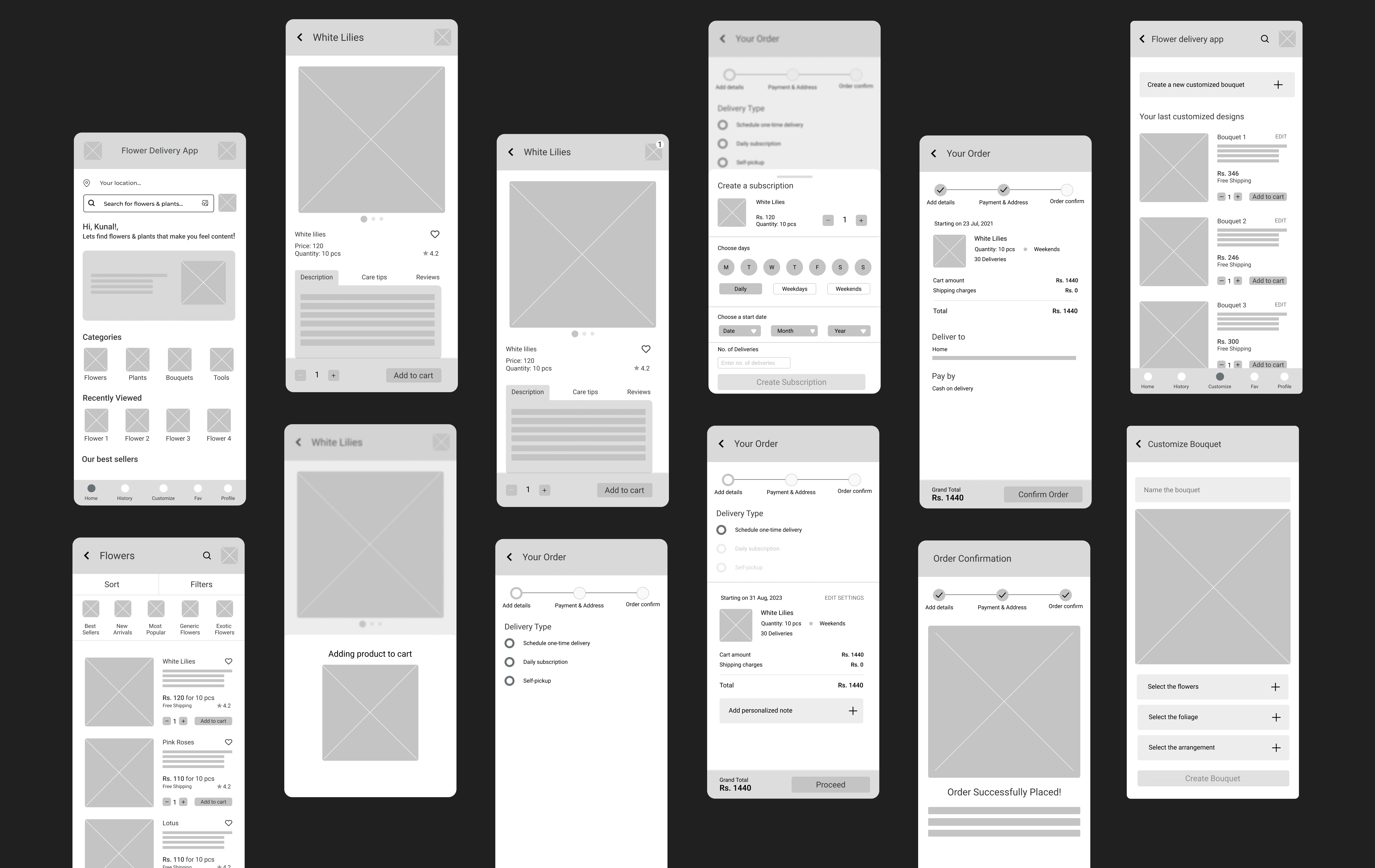
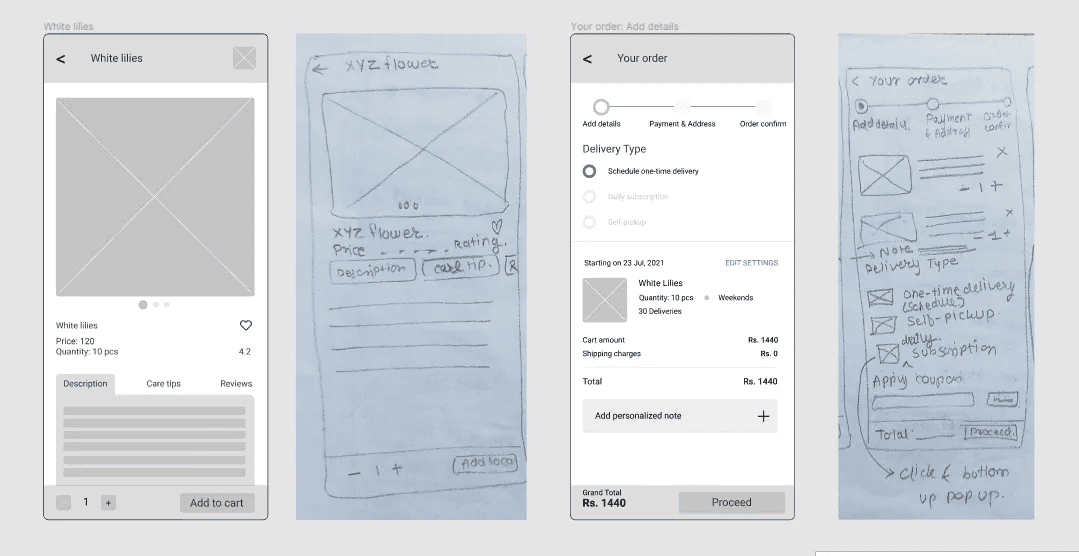
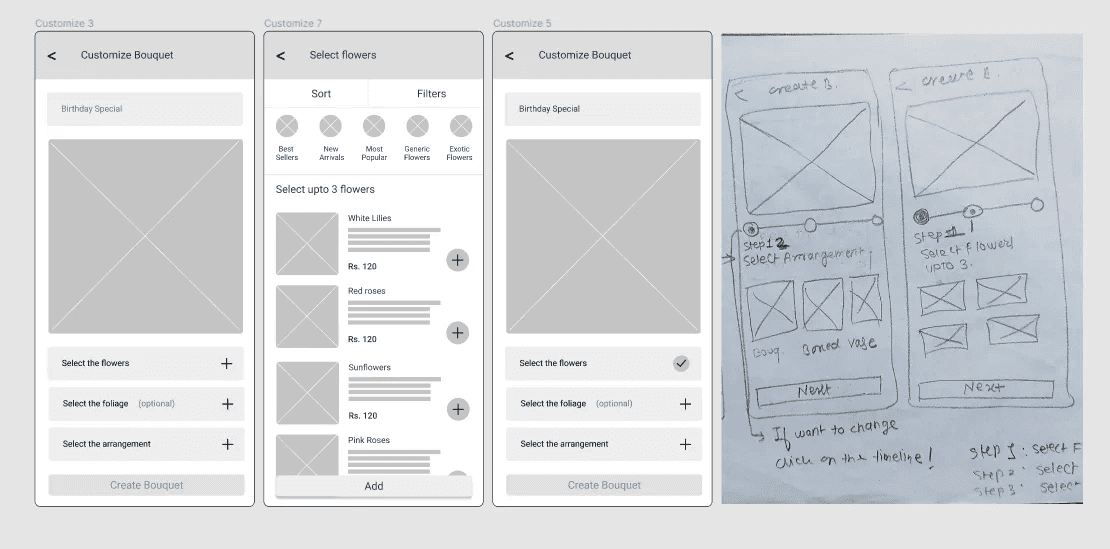
I quickly drew out sketches of these functionalities on paper which I later digitalized using Figma. At first, I sketched four to five screens for my homepage using paper. Then I created one refined one wireframe for my homepage and repeated the same process for the rest of the screens.
Usability Study and Affinity Mapping
After the first iteration of my digital wire-frames, I decided to conducted moderated usability study for 5 users of my target audience to understand whether the users can use the application while being on the happy path or they are getting diverted.
Here's a brief overview of the process:
Created a usability research plan including objectives of study, questionnaire, KPIs and identify participants. View the detailed research plan here.
During study interview, introduced the project goal, and put users at ease.
Described the scenario, set up the context, and allowed the users to use the app while thinking aloud.
Asked follow up questions and gathered feedback.
Asked users to fill out a questionnaire. Thanked them for participation.
Analyzed and Synthesized the results of usability study. View the study results here.
After the usability study, I had a ton of feedback from participants. The next step in the course was to analyze and synthesize the results by doing the following steps:
Created an affinity map from usability study data into sticky notes participant-wise and then similarity-wise.
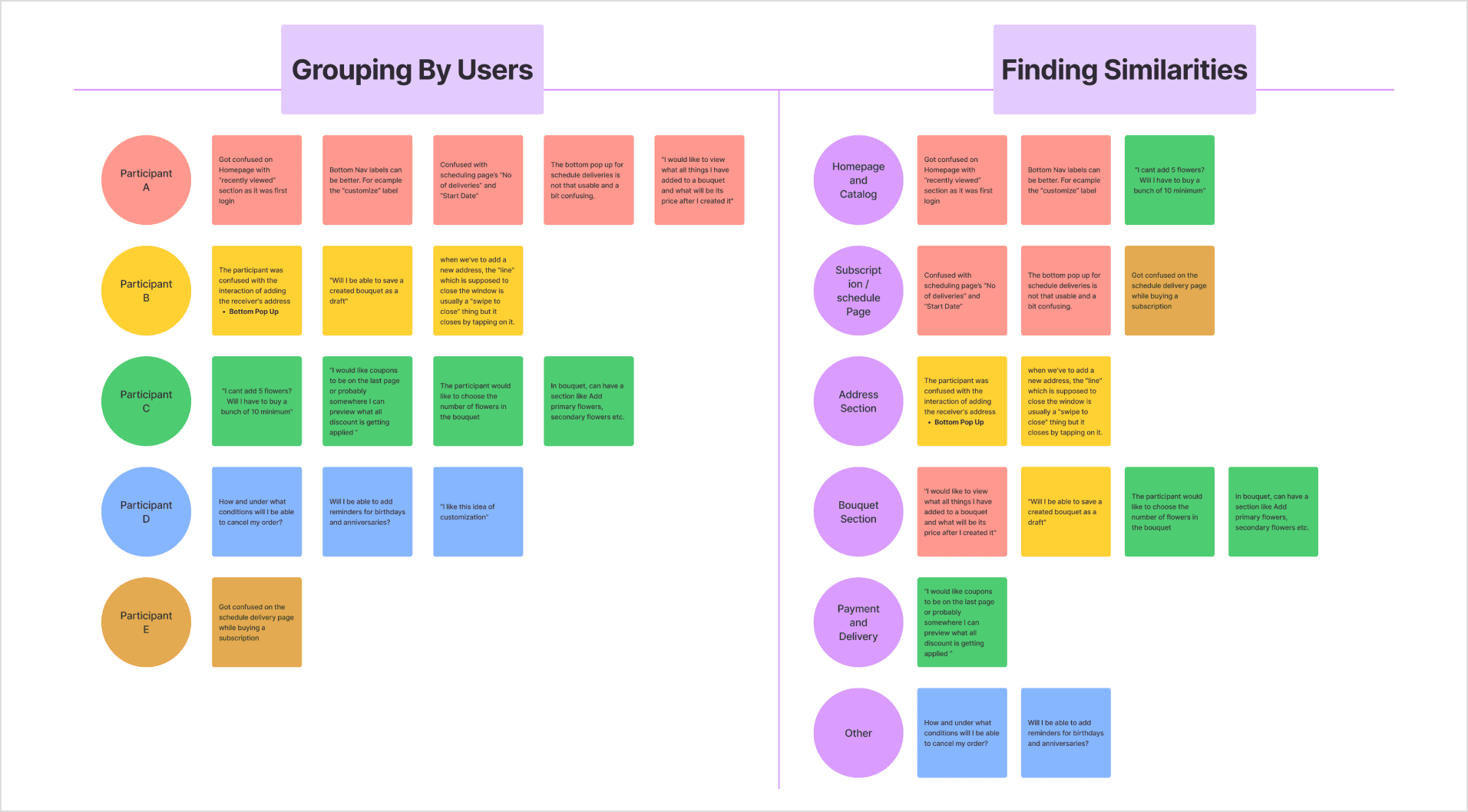
Found the patterns/themes in data that is common across all the participants. In total I came up with 9 themes which you can view here.
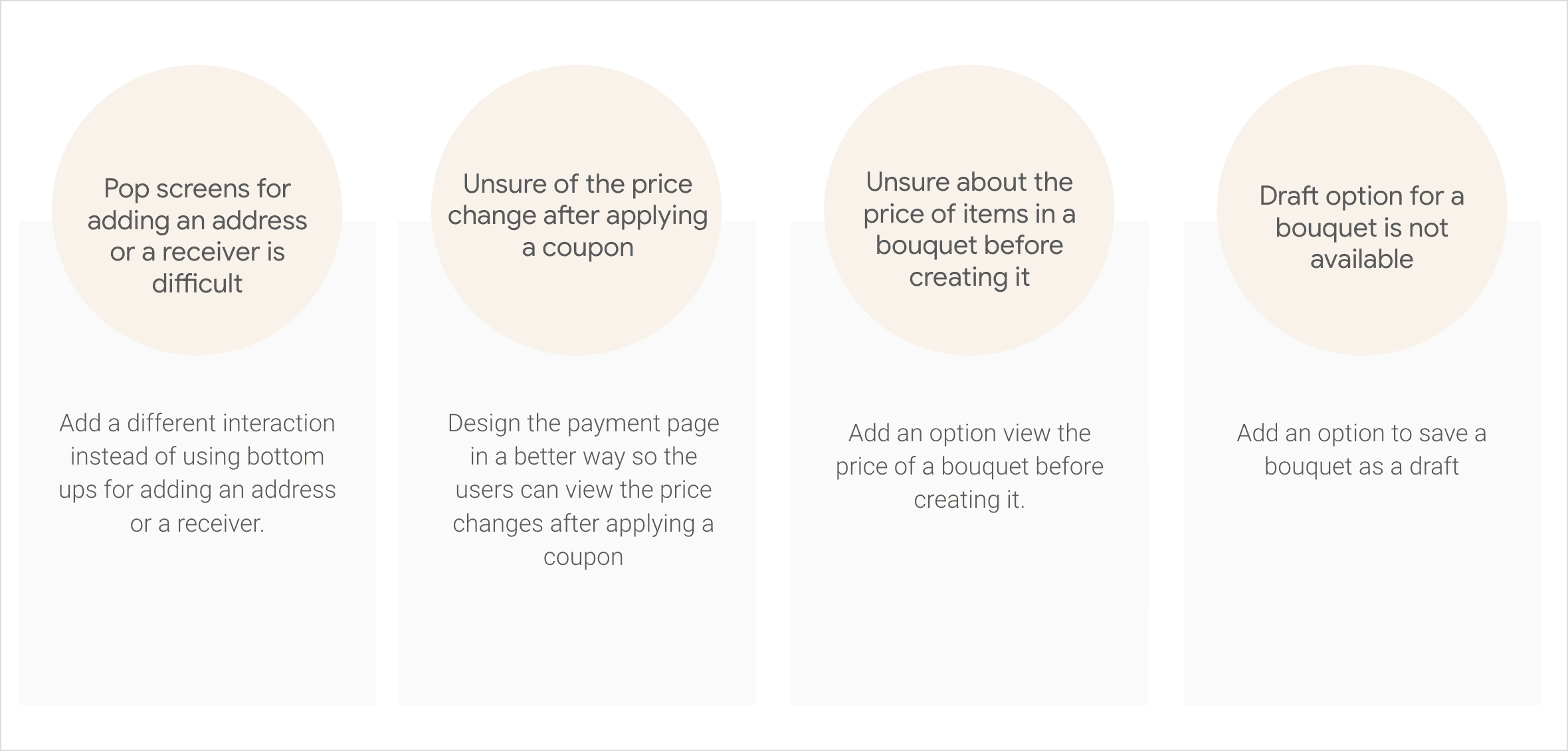
At last I came up with insights for each theme. I wrote an insight that tells how to improve the product based on a theme. In total I came up with 6 insights which you can view here.
User Feedback Implementation
Usually, its helpful to priorities your research insights from the most urgent to the least urgent. I decided to go ahead and fix all of the usability issues.
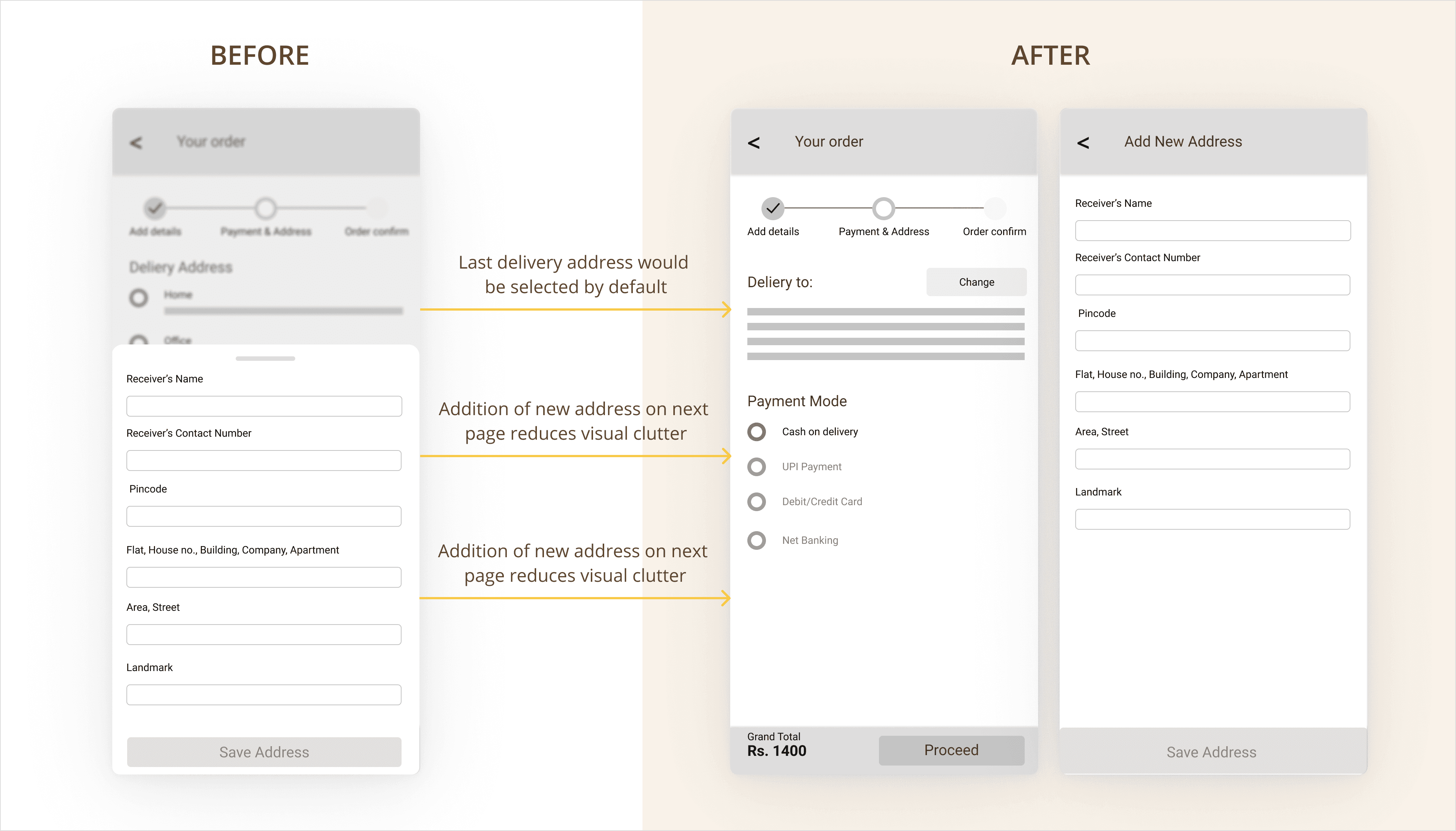
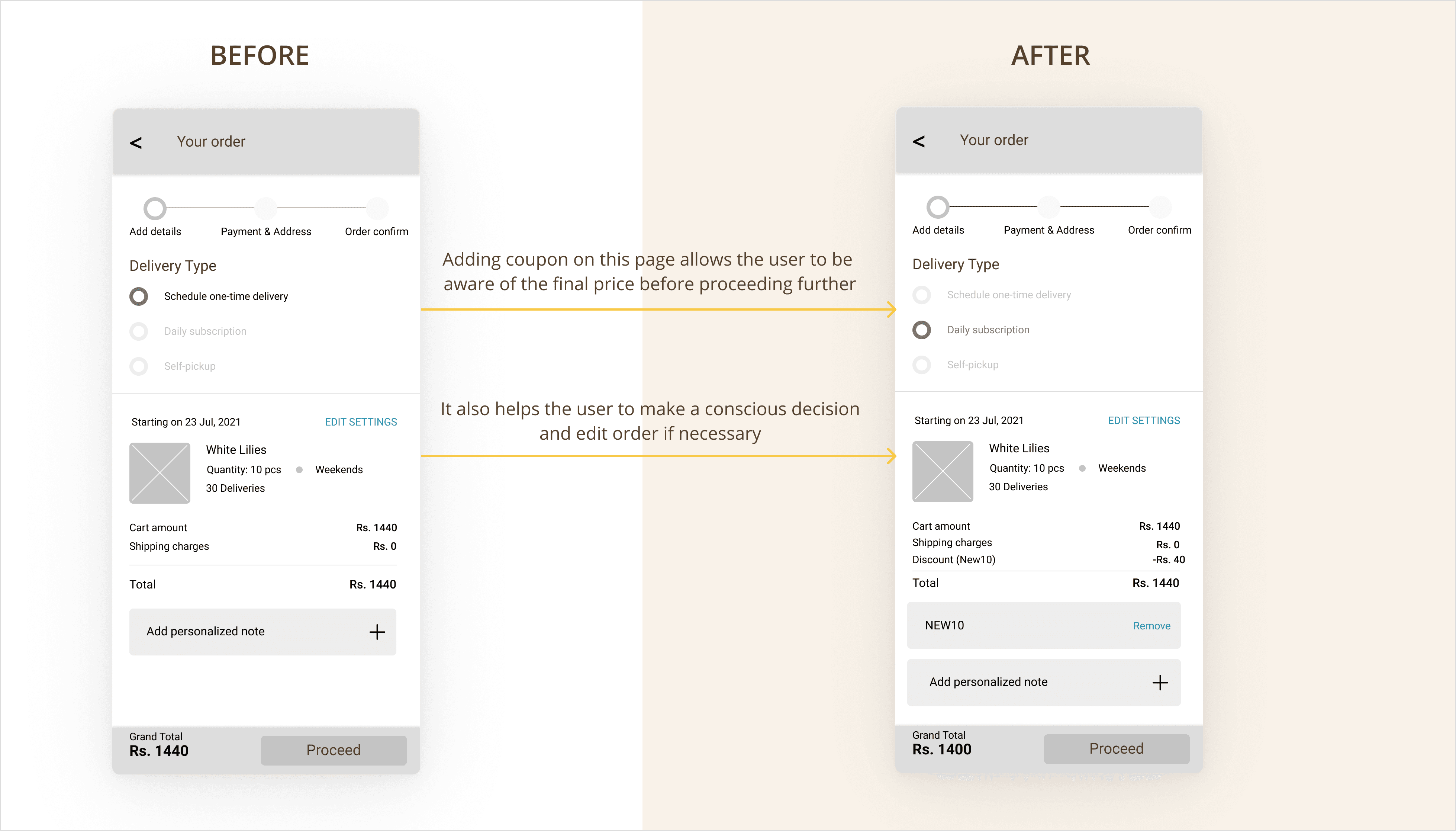
The new design aims to give users enough information to make a decision at a glance.
Below is a brief comparison between the wire-frames before and after integrating user feedback: